


Phone Lock
Lock the phone before the scroll starts.
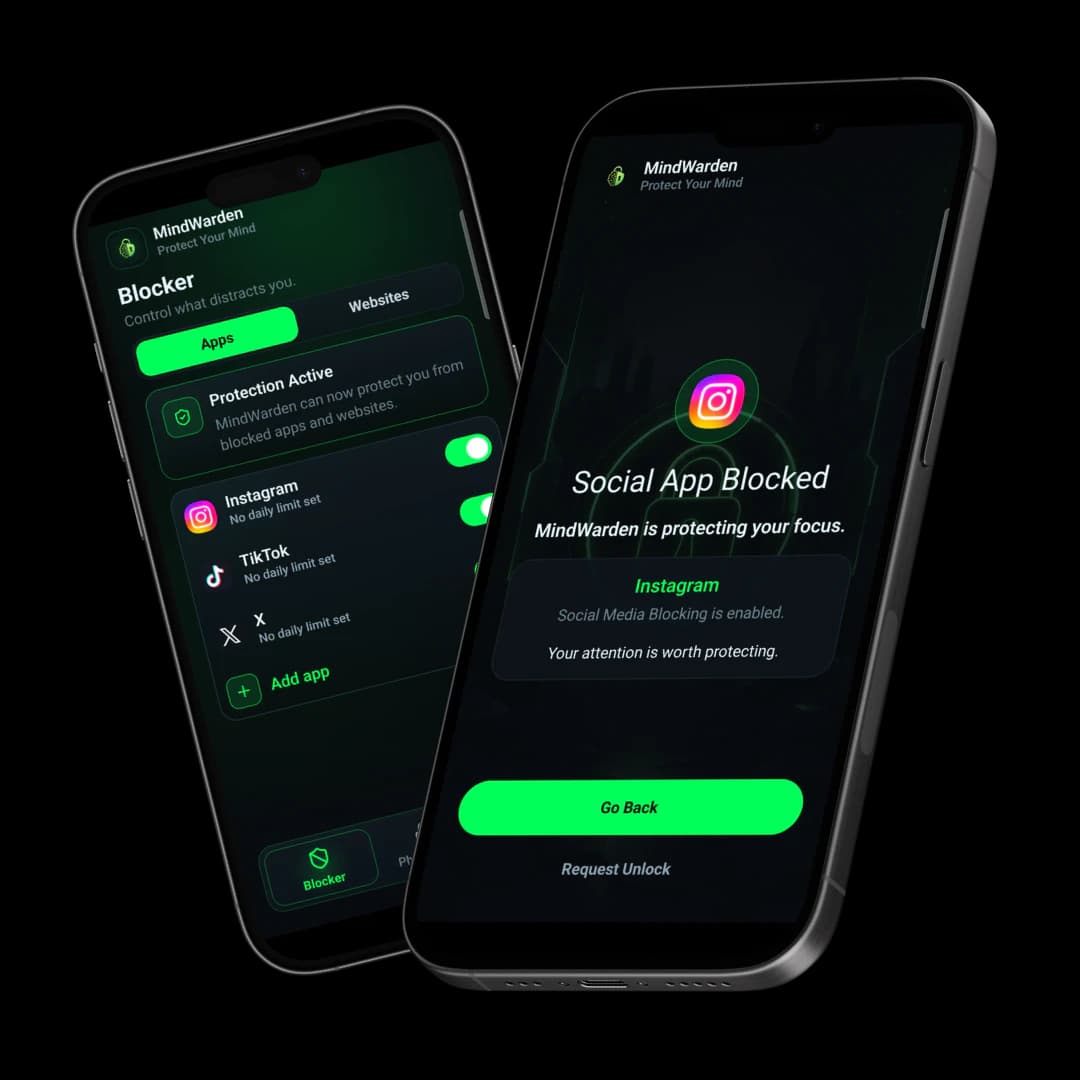
MindWarden makes distraction harder by locking your phone, blocking addictive apps and websites, and creating friction between you and the feed.
Built for people tired of endless scrolling, dopamine loops, and wasted time.
The mission
MindWarden starts from a simple premise: attention needs protection before impulse gets a vote.
01We were told we lacked discipline.
02We were told to just use willpower.
03But willpower was never designed to fight billion-dollar algorithms.
The biggest social platforms are engineered to pull you back before you decide what matters.
MindWarden exists because this was never a fair fight. It makes distraction harder.
The enemy
You are fighting systems built by designers, AI engineers, growth teams, and behavioral experts whose business depends on keeping attention trapped.
The solution
No productivity quotes. No shame. Just friction between you and the algorithms trying to consume your attention.
The app is designed for the short moment before automatic behavior wins. Choose what to block, set the lock, and let the friction do its job.
Lock the phone before the scroll starts.
Cut access to the apps that pull you back.
Block the websites that steal your focus.
Add another wall between impulse and action.
Add friction against impulsive uninstalling.
Philosophy
MindWarden is not anti-technology. It is anti-manipulation.
Technology should serve your life, not replace it.
Features
Simple controls for the moments when impulse shows up before intention does.
Trust
MindWarden should be clear about what it needs, why it needs it, and what stays on your device.
Privacy-first
Local-only processing where possible
No unnecessary tracking
Transparent permissions
Accessibility permission is used only to detect blocked apps/websites and show the block screen
Device Admin is used only to add friction against impulsive uninstalling
FAQ
MindWarden should feel serious about focus and honest about what the app does.
Available on Google Play
MindWarden is now in production. Use the live Google Play listing to install the Android app.
Install
Use the official Play Store listing for the production Android release.
Set up
Pick the apps, websites, lock duration, and permissions that match your focus rules.
Stay private
Review the policy center for privacy, data usage, Accessibility, and Device Admin details.